Table of Contents >> Show >> Hide
- Short Answer: Can an Apple Watch Work With an Android Phone?
- Why Apple Watch and Android Don’t Play Nicely
- Sneaky Workarounds People Try (and Their Limitations)
- Everyday Scenarios: What If You Switch Sides?
- The Better Option: Smartwatches That Love Android
- How to Decide: Keep the Apple Watch or Switch?
- Real-World Experiences: Living With Apple Watch and Android
- Final Verdict
If you’ve ever eyed an Apple Watch while your trusty Android phone sat in your pocket, you’ve probably wondered: can these two ever get along? It’s a bit like asking if a cordless drill battery will fit a completely different brand of driver tempting to try, but not how the engineers designed it.
Short version: Apple Watches are not officially compatible with Android phones. But there are some creative (and slightly messy) workarounds, plus plenty of excellent alternatives that are happy to pair with Android without drama. Let’s walk through what really works, what doesn’t, and how to choose the right smartwatch setup for your household.
Short Answer: Can an Apple Watch Work With an Android Phone?
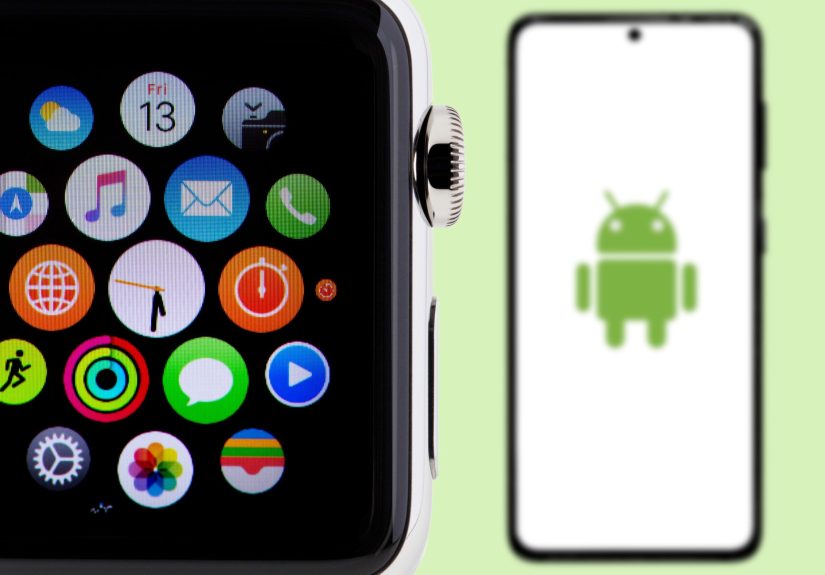
Officially, no. Apple builds the Apple Watch to work with the iPhone only. To set up and use an Apple Watch, you need a compatible iPhone model and the Watch app, which simply doesn’t exist on Android.
Every modern Apple Watch requires:
- An iPhone that supports the current version of iOS
- The Apple Watch app for setup, updates, and settings
- Apple’s services for messages, calls, and app syncing
So if you’re hoping to take a brand-new Apple Watch out of the box and pair it directly to a Samsung, Google Pixel, or any other Android phone, that’s not possible through official means.
Why Apple Watch and Android Don’t Play Nicely
1. The closed ecosystem problem
Apple is famous (or infamous, depending on your mood) for its closed ecosystem. The Apple Watch is designed as an iPhone accessory first and a general smartwatch second. The Watch leans heavily on:
- The Apple Watch app for pairing, backups, and settings
- iMessage and FaceTime for calls and texts
- Apple’s Health and Fitness apps for data storage and analysis
- App Store integration for watch apps and updates
Android doesn’t have access to those pieces. There’s no official Apple Watch app on the Google Play Store, and Apple hasn’t opened up the necessary tools for Android developers to create a full-featured alternative.
2. Setup requirements: an iPhone is mandatory
To even get past the welcome screen on an Apple Watch, you must scan the watch’s pairing animation with a compatible iPhone. Recent Apple Watches require relatively modern iPhones and up-to-date iOS versions. That means:
- You can’t initially set up an Apple Watch using Android at all.
- You can’t update watchOS, restore a backup, or change critical settings without an iPhone.
- Family Setup still requires an iPhone to manage the watch, even if the wearer doesn’t own one themselves.
Once you understand that the iPhone is the “control center” and the Watch is a satellite, it becomes clear why Android is left out of the fun.
3. Ongoing features that depend on iPhone
Even after setup, many daily Apple Watch features depend on the iPhone staying in the loop:
- Messages and calls: routed through your iPhone or iCloud accounts
- Notifications: mirrored from your iPhone’s apps
- Health data: synced to the Health app on iPhone
- Apps and updates: managed through the iPhone’s Watch app and App Store
Without an iPhone, you’re essentially putting the Watch on “hard mode” and pairing it straight to Android is off the table.
Sneaky Workarounds People Try (and Their Limitations)
Tech tinkerers hate a dead end, so of course people have tried all sorts of tricks to mix Apple Watches and Android. Here’s what those methods look like in real life and why most folks are better off skipping them.
Workaround #1: Using an LTE Apple Watch with a “setup” iPhone
This is the most common approach you’ll see on forums and how-to videos:
- Borrow or keep an older iPhone.
- Pair and set up your Apple Watch using that iPhone.
- Activate cellular (if your watch model supports LTE) so the watch can make calls and get some data without the phone nearby.
- Put your SIM back in your Android phone and use both devices separately.
What you might get with this setup:
- Calls to your number if your carrier supports NumberSync-style features
- Basic notifications and messages routed via cellular and iCloud
- Fitness tracking stored on the watch until you reconnect to the iPhone
What you don’t get:
- Deep integration between your Android apps and the watch
- Easy switching of watch settings and app installations
- Smooth software updates you still need the iPhone for every major update
- Simple troubleshooting if something breaks
It technically works in a “duct-tape and zip ties” kind of way, but it’s not the clean, reliable experience most people want from a smartwatch.
Workaround #2: Keeping an old iPhone just for the watch
Some users keep a retired iPhone at home, connected to Wi-Fi, purely to manage their Apple Watch while carrying an Android as their main phone. In that setup:
- The Watch pairs with the old iPhone.
- You use the Android phone for daily calling, texting, and apps.
- The Apple Watch mostly acts as a fitness tracker and a “bonus” notification screen when you’re on Wi-Fi or cellular.
This can work if:
- You already own a compatible iPhone and don’t mind keeping it charged.
- You’re comfortable juggling two platforms and some fragmented data.
But from a practical, Family Handyman point of view, it’s like leaving a shop vacuum permanently plugged into an outlet three rooms away usable, but not exactly convenient.
Workaround #3: New Android phones that “talk” a bit to Apple Watch
Recently, a few Android manufacturers have experimented with partial Apple Watch support. For example, some phones can now read certain data from an Apple Watch or show mirrored notifications when the watch is connected in creative ways.
However, these setups are still limited and experimental. They don’t give you full pairing, watchOS updates, or the kind of deep control you’d expect if Apple officially supported Android. Think of them as clever tech demos rather than a stable long-term solution.
Everyday Scenarios: What If You Switch Sides?
You moved from iPhone to Android but still own an Apple Watch
This is one of the most common real-world situations. Here are your options:
- Keep an old iPhone just for the watch. This lets you still use the watch for fitness and some notifications, but you’ll be living a “split-brain” tech life.
- Sell or trade in the Apple Watch. Use the value to fund a smartwatch built for Android.
- Use the LTE workaround (if supported). This may work, but expect fiddly carrier settings and inconsistent behavior.
If you like your tech simple and reliable, the second option moving to an Android-friendly watch usually causes the least long-term frustration.
You use Android for work and iPhone at home
If you have both types of phones, you’re in better shape. You can:
- Pair the Apple Watch with your iPhone and use it on personal time.
- Rely on your work Android phone for job-related calls and apps.
The catch? Notifications from your Android work phone won’t show up on your Apple Watch. For a lot of people, that’s acceptable maybe even preferable but it’s worth knowing before you buy.
The Better Option: Smartwatches That Love Android
If your main phone is Android, it usually makes more sense to choose a smartwatch built with Android in mind. You’ll get deeper integration, easier setup, and fewer headaches when you change phones or carriers.
Wear OS watches (including Google Pixel Watch)
Google’s Wear OS is designed specifically to pair with Android, though it also works with iPhone on a basic level. Wear OS watches typically give you:
- Easy pairing through the Android companion app
- Google Assistant on your wrist
- Deep integration with Google services (Calendar, Maps, Wallet, etc.)
- Access to apps through the Play Store
For Android users who love Google services, this is the closest equivalent to the iPhone + Apple Watch combo.
Samsung Galaxy Watch series
Samsung’s Galaxy Watch lineup is popular among Android users and plays especially well with Samsung phones. You’ll typically get:
- Strong fitness and sleep tracking
- Good battery life and bright displays
- Solid notification handling and calling features
- Optional LTE models for on-the-go independence
Think of these as the “flagship” smartwatches in the Android worldpolished, powerful, and tightly integrated with the ecosystem.
Fitbit, Garmin, and other fitness-first watches
If your main goal is health and fitness tracking rather than tons of apps, brands like Fitbit and Garmin offer excellent Android-friendly watches and bands. They often beat Apple Watch on battery life and advanced workout metrics, especially for runners and outdoor enthusiasts.
In other words, you’re not short on choices. You just need to match your watch to your phone, not fight against the pairing rules.
How to Decide: Keep the Apple Watch or Switch?
Here’s a quick decision framework if you’re staring at an Apple Watch in one hand and an Android phone in the other:
- Do you want things to “just work” with minimal tinkering?
Choose an Android-friendly smartwatch and let the Apple Watch go. - Do you already own a compatible iPhone and don’t mind keeping it?
You can keep using the Apple Watch in a hybrid setup, but expect some quirks and maintenance. - Are you buying everything fresh?
If your heart is set on Apple Watch, strongly consider an iPhone. If you’re committed to Android, buy a smartwatch designed for Android from day one. - Do you care most about health metrics?
Apple Watch, Pixel Watch, Galaxy Watch, Fitbit, and Garmin all do a great job pick based on which ecosystem you’ll actually use every day.
At the end of the day, the “right” choice is the system that asks the least of you. Your tech should support your life, not become a side project.
Real-World Experiences: Living With Apple Watch and Android
Specs and compatibility charts tell part of the story, but what is it actually like to use an Apple Watch when your daily driver is an Android phone? Here are some lived-in scenarios that mirror what many families and DIY-ers run into.
The accidental mismatch: gift gone sideways
Picture this: your family knows you’re into gadgets, so they surprise you with an Apple Watch. Sweet! The only problem? Your phone is a sturdy Android you’ve used for years. You unbox the watch, fire it up, and immediately run into a QR code asking you to bring an iPhone to the party.
In this situation, people often scramble to borrow a friend’s iPhone just to see what the watch can do. Setup works, the watch looks gorgeous, and the fitness rings are fun. But after you hand the iPhone back, things get clunky:
- Your Android phone never shows up as a pairing option.
- Notifications become unreliable unless the watch has its own cellular plan.
- Any time you want to tweak settings, you’re back to begging for iPhone time.
Most folks in this boat either re-gift the watch, return it, or sell it and use the money for a high-quality Android-compatible smartwatch. It’s not that the Apple Watch is bad it’s just designed for a different ecosystem.
The tech tinkerer: determined to make it work
On the other end of the spectrum, there’s the tinkerer. This person loves a challenge and doesn’t mind extra wires, accounts, and trial-and-error. They might:
- Keep a retired iPhone on Wi-Fi to manage the Apple Watch.
- Activate LTE on the watch so it can handle some calls and messages independently.
- Use cloud services and email for cross-platform communication between the Android phone and Apple’s ecosystem.
For this kind of user, the hybrid setup can be a fun project. But even they admit it’s not something they’d recommend to a non-technical family member. If you already spend your weekends wiring up smart outlets and re-tiling the bathroom, you might enjoy the challenge but you also know when a tool isn’t the right fit for the job.
The mixed-ecosystem household
Many families run a “blend” of tech: one person has an iPhone and Apple Watch, another uses an Android phone and a different smartwatch. This is where expectations matter. Here’s how it can work smoothly:
- The iPhone user handles watchOS updates, settings, and troubleshooting for their own Apple Watch.
- The Android user picks a smartwatch that pairs perfectly with their phone no Apple Watch envy required.
- Both people stick to watches that match their phone ecosystems, keeping repairs, updates, and daily use straightforward.
This setup avoids the awkward “can we make my watch talk to your phone?” problem entirely. Each person uses tools built for their platform, and everyone spends more time enjoying their devices and less time debugging them.
Why a clean match usually wins
When you step back and look at all these experiences, a pattern shows up: matching your watch to your phone platform almost always leads to a happier outcome. You get:
- Smoother pairing and setup
- More reliable notifications and calls
- Consistent software updates without gymnastics
- Better support if something breaks
If you already have an Apple Watch and are moving to Android, yes, you can hang onto it with an old iPhone in the drawer and some patience. But if you’re buying new or helping a friend choose, the easiest and most future-proof path is simple: Apple Watch with iPhone, Android-friendly watch with Android phone.
Final Verdict
Apple Watches and Android phones are like two excellent tools from different manufacturers each works brilliantly in its own system, but they’re not meant to snap together. Officially, Apple Watches are not compatible with Android phones, and every workaround comes with compromises, extra devices, or ongoing maintenance.
If your daily phone is Android, you’ll usually get a better, calmer experience with a smartwatch built for Android from the start. If your heart is absolutely set on an Apple Watch, it’s worth considering an iPhone to go with it or keeping one around just for watch duties, as long as you know what you’re signing up for.
In true Family Handyman spirit, the goal is to choose the setup that works hard for you, requires the fewest hacks, and lets you get back to actually living your life not troubleshooting your wrist.