Table of Contents >> Show >> Hide
- Why These Web Design Mistakes Cost So Much
- 23 Expensive Web Design Mistakes and How To Fix Them
- 1. Designing for Desktop First and Treating Mobile Like an Afterthought
- 2. Letting Page Speed Drag Like a Shopping Cart with One Broken Wheel
- 3. Ignoring Core Web Vitals and Real-World Experience Signals
- 4. Turning the Homepage into a Vegas Billboard
- 5. Weak Visual Hierarchy That Makes Everything Feel Equally Important
- 6. Confusing Navigation That Makes Visitors Feel Lost
- 7. Burying the Call to Action Like It Owes You Money
- 8. Writing Headlines That Sound Fancy but Say Nothing
- 9. Using Typography That Looks Cool but Reads Like Punishment
- 10. Failing Basic Accessibility Checks
- 11. Using Images Without Meaning, Purpose, or Optimization
- 12. Relying on Placeholder Text Instead of Real Form Labels
- 13. Asking for Too Much Information in Forms
- 14. Displaying Terrible Error Messages
- 15. Using Popups and Interstitials Like a Door-to-Door Sales Team
- 16. Inconsistent Design Patterns Across the Site
- 17. Making Important Elements Look Unclickable
- 18. Hiding Trust Signals Until It Is Too Late
- 19. Ignoring SEO During the Design Process
- 20. Breaking URL Structure and Redirects During a Redesign
- 21. Creating Orphan Pages and Weak Internal Linking
- 22. Forgetting Technical Trust Basics Like HTTPS, Broken Links, and Broken Media
- 23. Launching Without Testing, Measurement, or Iteration
- How To Prioritize Fixes Without Rebuilding the Whole Site
- Extra Experience Section: What These Mistakes Look Like in Real Life
- Final Thoughts
- SEO Tags
Bad web design is expensive in the same way a leaky roof is expensive: you can ignore it for a while, but the bill keeps growing. A confusing layout hurts conversions. Slow pages annoy visitors before your headline even gets a chance. Weak accessibility choices lock real people out. And sloppy redesign decisions can quietly torch rankings, leads, and revenue while the team celebrates a “fresh new look.”
The good news is that most costly website mistakes are fixable. Better yet, many of them are preventable when design, SEO, content, and development stop acting like distant cousins at a holiday dinner and start working together. Below are 23 expensive web design mistakes that businesses make every day, plus practical ways to fix each one without turning your next redesign into a dramatic documentary.
Why These Web Design Mistakes Cost So Much
Every website has three jobs: help people find what they need, help them trust what they see, and help them take the next step. When design gets in the way of any of those goals, the costs show up fast through higher bounce rates, lower conversions, weaker engagement, more support requests, and missed SEO opportunities. Great web design is not decoration. It is a business system.
23 Expensive Web Design Mistakes and How To Fix Them
1. Designing for Desktop First and Treating Mobile Like an Afterthought
A site that looks polished on a giant monitor but turns into a thumb-twisting obstacle course on a phone is losing money. Mobile users need fast pages, clean layouts, readable text, and buttons they can actually tap without accidentally ordering a canoe. Fix: Start with a mobile-first layout, test on real devices, simplify crowded sections, and make sure navigation, forms, and calls to action work smoothly on smaller screens.
2. Letting Page Speed Drag Like a Shopping Cart with One Broken Wheel
Heavy images, bloated scripts, lazy hosting choices, and too many third-party tools can make your site feel sleepy. Slow sites frustrate users, reduce engagement, and can hurt search visibility. Fix: Compress images, defer noncritical scripts, reduce unnecessary plugins, use modern image formats, cache aggressively, and monitor performance during every design update rather than after the damage is done.
3. Ignoring Core Web Vitals and Real-World Experience Signals
A page can look pretty in a design mockup and still feel awful in real life. If content shifts while loading, buttons lag after a tap, or the main content takes too long to appear, visitors notice. Fix: Reserve space for images and ads, improve server response, trim render-blocking assets, and regularly review performance data from real users instead of relying only on lab scores.
4. Turning the Homepage into a Vegas Billboard
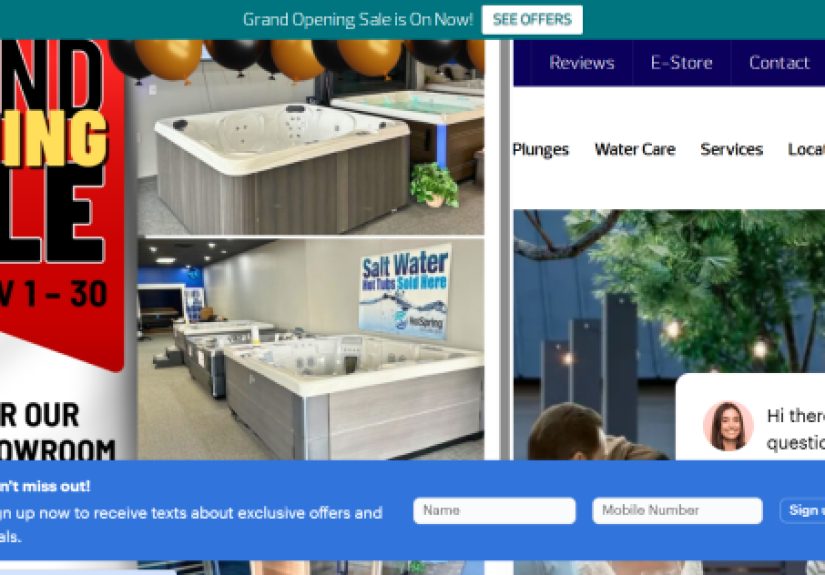
Too many banners, sliders, badges, promos, popups, animations, and competing messages create instant confusion. When everything screams for attention, nothing wins. Fix: Give the homepage one clear purpose, one strong value proposition, and one primary next step. Use white space like a professional, not like it is a limited-edition luxury item.
5. Weak Visual Hierarchy That Makes Everything Feel Equally Important
If headlines, subheads, buttons, body text, and side content all carry the same visual weight, users have to work too hard. Most will not. Fix: Use consistent heading levels, stronger size contrast, clear spacing, and predictable alignment. Lead the eye from headline to proof to action. A good page should feel like a guided tour, not a scavenger hunt.
6. Confusing Navigation That Makes Visitors Feel Lost
Mystery-meat menus, vague labels, overloaded dropdowns, and hidden key pages can quietly kill conversions. If people cannot find services, pricing, product details, or contact information, they leave. Fix: Simplify the menu, use plain-language labels, keep top-level choices limited, add a visible search feature when needed, and design navigation around user tasks instead of internal company politics.
7. Burying the Call to Action Like It Owes You Money
A great design without a clear next step is a very pretty dead end. Too many sites hide their main CTA, use vague button text, or place competing actions side by side. Fix: Decide the single most important action for each page, make it visually distinct, place it early, repeat it naturally when the page is long, and use direct copy such as “Book a Demo,” “Get a Quote,” or “Start Free.”
8. Writing Headlines That Sound Fancy but Say Nothing
Visitors should understand what you do in seconds. Fluffy headlines like “Innovating Tomorrow’s Digital Possibilities” may sound expensive, but they rarely explain anything useful. Fix: Write benefit-driven headlines that clearly state who the offer is for, what problem it solves, and why it matters. Clarity beats cleverness when money is on the line.
9. Using Typography That Looks Cool but Reads Like Punishment
Tiny fonts, long line lengths, low contrast, and decorative type choices turn reading into labor. That hurts engagement, comprehension, and trust. Fix: Choose readable font sizes, comfortable line spacing, strong contrast, and sensible paragraph lengths. Design for scanning with descriptive subheads, bullets where helpful, and short sections that let the reader breathe.
10. Failing Basic Accessibility Checks
Accessibility is not a bonus feature for especially polite websites. It affects usability for everyone and reduces legal and reputational risk. Common failures include poor contrast, unlabeled controls, inaccessible menus, and missing keyboard focus states. Fix: Build with accessibility in mind from the start, test keyboard navigation, check contrast, label controls correctly, and review pages against established accessibility guidelines.
11. Using Images Without Meaning, Purpose, or Optimization
Giant decorative images that add no context can slow the page while saying absolutely nothing. That is an expensive way to be dramatic. Fix: Use images that support user decisions, compress them properly, write useful alt text when needed, and avoid image-heavy headers that push important content below the fold. Every visual element should earn its spot.
12. Relying on Placeholder Text Instead of Real Form Labels
Placeholder text disappears as soon as users type, which makes forms harder to complete and easier to mess up. It also causes accessibility issues. Fix: Use persistent labels for every field, provide helpful hints near complex fields, and make instructions visible before users hit an error. Forms should guide, not judge.
13. Asking for Too Much Information in Forms
Every extra field is a tiny tax on conversion. If a quote request asks for favorite color, annual revenue, company mascot, and blood type, people will simply leave. Fix: Ask only for what you truly need at that stage. Use progressive profiling later if more detail matters. Shorter forms usually win because they respect the visitor’s time.
14. Displaying Terrible Error Messages
“Invalid input” is not helpful. Neither is turning the entire form red like a digital crime scene. Bad error messages increase frustration and abandonment. Fix: Make errors visible, specific, polite, and actionable. Tell users what went wrong, where it happened, and how to fix it. Preserve entered information whenever possible so users do not have to start over.
15. Using Popups and Interstitials Like a Door-to-Door Sales Team
Intrusive popups that block content too early can hurt the experience, especially on mobile. They interrupt reading, slow access, and create instant hostility. Fix: Delay popups until the user has engaged, keep them easy to close, and avoid blocking key content. Better yet, use inline offers where they make contextual sense.
16. Inconsistent Design Patterns Across the Site
When buttons change style from page to page, headings shift personality, and layouts keep reinventing themselves, users lose confidence. Inconsistency makes the site feel less trustworthy and harder to use. Fix: Create a design system with consistent colors, button styles, spacing rules, form behaviors, and content patterns so the whole site feels like one coherent experience.
17. Making Important Elements Look Unclickable
Dead clicks and rage clicks often happen when users think something should work and it does not. Cards, icons, filters, and images can create false expectations when styling suggests interactivity without actual function. Fix: Make clickable elements clearly clickable, avoid fake affordances, and use behavior data such as heatmaps and session recordings to spot friction.
18. Hiding Trust Signals Until It Is Too Late
Users do not want to guess whether your business is credible. Missing reviews, testimonials, client logos, case studies, guarantees, or clear contact details can suppress conversion even when the offer is solid. Fix: Place trust signals near decision points, especially near CTAs, pricing, forms, and product claims. Confidence should not require detective work.
19. Ignoring SEO During the Design Process
Many redesigns treat SEO like a post-launch seasoning. That is backwards. Weak information architecture, unclear headings, thin copy, and poor internal linking can limit visibility before the site even goes live. Fix: Plan content hierarchy, keyword intent, heading structure, metadata, and internal links during design. Good SEO and good UX usually want the same thing: clarity.
20. Breaking URL Structure and Redirects During a Redesign
This is one of the most expensive mistakes on the list. A redesign that changes URLs without proper redirects can erase years of earned traffic, links, and visibility. Fix: Map old URLs to their best new equivalents, implement redirects carefully, update internal links, preserve important content, and test before launch. A beautiful redesign is not worth much if search traffic falls off a cliff.
21. Creating Orphan Pages and Weak Internal Linking
If important pages are hard to reach through navigation or internal links, users and search engines both struggle. Pages buried too deeply tend to perform poorly. Fix: Build strong topic clusters, link related pages naturally, reduce page depth for important content, and make sure the site structure supports discovery rather than accidental hiding.
22. Forgetting Technical Trust Basics Like HTTPS, Broken Links, and Broken Media
Nothing says “maybe do not enter your credit card here” like mixed signals from the browser, broken images, or half-functional buttons. These issues hurt trust immediately. Fix: Keep the site secure, audit links regularly, test forms and media, and include technical QA in every launch checklist. Trust is built in tiny moments, and technical sloppiness breaks it fast.
23. Launching Without Testing, Measurement, or Iteration
The launch is not the finish line. It is the start of real-world learning. Teams that skip usability testing, analytics validation, heatmaps, search console checks, and conversion tracking end up guessing. Guessing is expensive. Fix: Test with real users, validate analytics events, monitor search and performance, review form completion rates, and keep improving the pages that carry the most revenue risk.
How To Prioritize Fixes Without Rebuilding the Whole Site
If your site has several of these problems, do not panic and redesign everything in one heroic weekend. Start with pages that matter most: homepage, service pages, product pages, pricing pages, and lead forms. Next, fix conversion blockers such as slow speed, confusing navigation, weak CTAs, inaccessible forms, and missing trust signals. Then move into structural improvements like internal linking, content hierarchy, and design consistency. The biggest wins usually come from reducing friction, not from adding more features.
Extra Experience Section: What These Mistakes Look Like in Real Life
In real-world website projects, these mistakes rarely show up one at a time. They travel in packs. A company decides its site looks “dated,” so it commissions a redesign focused heavily on visual style. The new site launches with sleek animations, cinematic photography, clever copy, and a menu that looks like modern art. Everyone applauds. Then the numbers come in. Organic traffic dips. Leads drop. Mobile bounce rate climbs. The sales team starts asking whether the contact form is broken. Suddenly the design is not just a design. It is a revenue problem.
One very common pattern happens with service businesses. Imagine a law firm, dental office, or home services company that replaces clear, direct service pages with shorter, flashier content. The new pages look cleaner, but they no longer answer practical questions about pricing, process, service areas, timing, or next steps. Visitors land on the page, see beautiful branding, and still do not know what to do. The site feels premium, but it behaves like a brochure. That gap between appearance and usefulness is where expensive mistakes live.
Another frequent example appears in ecommerce. A store redesign adds giant lifestyle images, autoplay video, layered scripts, and promotional popups stacked like pancakes. On a fast office Wi-Fi connection, it looks amazing. On a mid-range phone with a normal mobile connection, it loads like a sleepy sloth carrying shopping bags. Product filters feel laggy. Layout shifts move the Add to Cart button. Users tap the wrong thing. Support tickets increase. Cart completion drops. Nobody meant to sabotage revenue, but poor performance did it anyway.
B2B SaaS sites often make a different kind of expensive mistake: they assume users already understand the product. Headlines become abstract. Navigation gets organized around internal teams instead of customer needs. Demo forms ask for too much too early. Case studies hide behind walls of jargon. The company thinks it is signaling sophistication, but users experience friction. A sharper structure, clearer proof, shorter forms, and stronger CTA placement often outperform fancy design flourishes by a mile.
Then there is the redesign SEO disaster, the classic villain of the genre. A business changes URLs, deletes useful pages, forgets redirect mapping, and launches on schedule because the calendar says go. For a few days, the homepage gets compliments on LinkedIn. A few weeks later, rankings slide, traffic drops, and leadership starts asking dark questions in cheerful tones. This kind of problem is painful because it feels avoidable, and it usually is.
The most successful teams treat web design as continuous improvement, not a one-time makeover. They test on real devices. They watch how users behave. They simplify more than they decorate. They keep accessibility, clarity, performance, and SEO in the same conversation from day one. That approach may sound less glamorous than “let’s make it pop,” but it is much better for traffic, trust, and revenue. And unlike trendy design gimmicks, it ages well.
Final Thoughts
The costliest web design mistakes are not always dramatic. Often they are small friction points repeated across dozens of pages: a weak headline here, a slow image there, a vague CTA somewhere else, a broken redirect hiding in the shadows like a tiny chaos goblin. Fixing them is less about chasing trends and more about building a site that is clear, fast, useful, accessible, and easy to trust. Do that consistently, and your website stops being a digital ornament and starts acting like the business asset it was supposed to be all along.