Table of Contents >> Show >> Hide
- What Is a Silent Message on Discord?
- How to Send Silent Messages on Discord Desktop
- How to Send Silent Messages on Discord Mobile
- Can You Use @silent in Discord DMs?
- Can You Use @silent in Discord Servers?
- Can You Mention Someone in a Silent Message?
- Silent Message vs. Muting Notifications: What Is the Difference?
- Best Times to Send a Silent Message on Discord
- When You Should Not Send a Silent Message
- Common Problems and Fixes
- Examples of Silent Discord Messages You Can Copy
- Tips for Writing Better Silent Messages
- Silent Messages and Discord Etiquette
- Frequently Asked Questions
- Personal Experience: Using Silent Messages Without Making Discord Weird
- Conclusion
Discord is great for fast conversations, chaotic group chats, raid planning, study servers, creator communities, and that one friend who replies with twelve GIFs before breakfast. But sometimes you want to send a message without launching a full notification parade on someone’s phone or desktop. That is exactly where Discord silent messages come in.
A silent message on Discord lets you send a normal text message without triggering a push notification or desktop alert for the recipient. The message still appears in the chat, and the recipient can still see the unread indicator or notification dot when they open Discord. The difference is simple: no ping, no pop-up, no sound, no “why did my phone scream at 2:13 a.m.?” moment.
The easiest way to send a silent message is to type @silent at the very beginning of your message, followed by a space, and then write your text. This works on Discord desktop, the browser version, and the mobile app. Whether you are using iPhone, Android, Windows, macOS, or the web app, the basic idea is the same.
In this guide, you will learn how to send silent messages on Discord on mobile and desktop, when to use them, what they do, what they do not do, and how to avoid common mistakes. Think of it as whispering politely in a digital room instead of kicking the door open with a marching band.
What Is a Silent Message on Discord?
A silent message is a Discord message sent with the @silent tag at the start. When used correctly, it prevents Discord from sending a push notification or desktop notification to the person receiving the message.
Here is the basic format:
For example:
The recipient will still get the message. It is not hidden. It is not deleted. It is not a secret agent message wearing sunglasses. It simply arrives quietly.
What Happens When You Send a Silent Message?
When you send a silent Discord message, the message appears in the chat like any other message. The recipient may still see an unread badge, a red dot, or a new message indicator inside Discord. However, Discord should not send a push alert to their phone or a desktop notification to their computer.
This makes silent messages useful when the message is important enough to send now but not urgent enough to interrupt someone immediately.
What Silent Messages Do Not Do
Silent messages are useful, but they are not magic. They do not make your message private. They do not bypass blocked DMs. They do not force a message through if the recipient’s privacy settings prevent direct messages. They also do not guarantee that the person will notice the message quickly.
In short, @silent controls the alert behavior, not the visibility or delivery rules of Discord.
How to Send Silent Messages on Discord Desktop
Sending a silent message on Discord desktop is quick. You can do it in a direct message, group DM, server text channel, or other normal text conversation where you are allowed to send messages.
Step-by-Step Instructions for Desktop
- Open Discord on your desktop app or browser.
- Go to the DM, group chat, or server channel where you want to send your message.
- Click the message box at the bottom of the screen.
- Type @silent at the very beginning of your message.
- Add one space after @silent.
- Type your message.
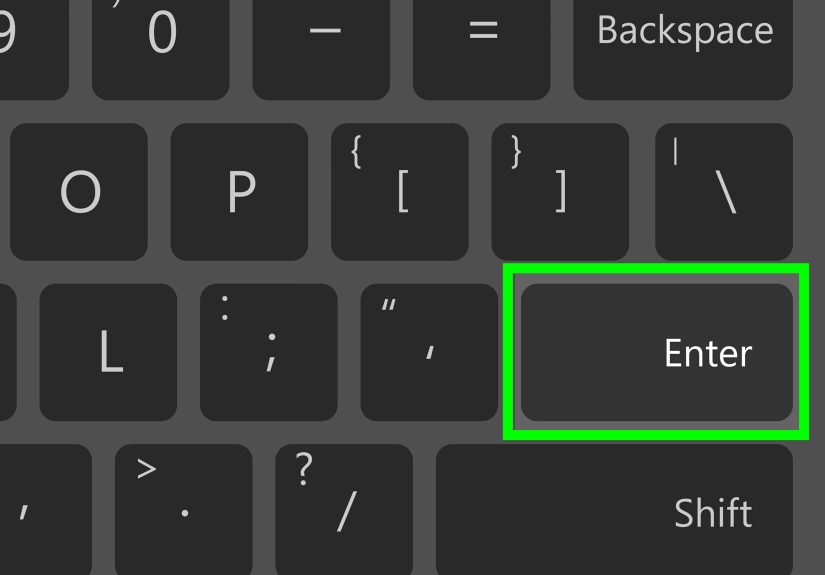
- Press Enter to send.
Example:
The key detail is placement. The @silent tag must be at the start of the message. If you bury it in the middle, Discord may treat it like plain text instead of a silent-message command.
Desktop Example: Sending a Quiet Team Update
Imagine you manage a Discord server for a gaming clan, study group, or small business community. You want to tell your team that tomorrow’s schedule has been updated, but it is late at night. A normal message might wake people up. A silent message lets you post the update without sending a loud alert.
This is polite, practical, and much better than becoming the reason someone puts their phone in a drawer.
How to Send Silent Messages on Discord Mobile
The process on Discord mobile is almost identical. The main difference is that you are typing on a phone or tablet, so autocorrect may try to be “helpful,” which is sometimes another word for “mildly chaotic.”
Step-by-Step Instructions for iPhone and Android
- Open the Discord app on your iPhone or Android device.
- Tap the server, channel, DM, or group message where you want to send a silent message.
- Tap the message field.
- Type @silent at the start of the message.
- Add a space after @silent.
- Write your message.
- Tap the send button.
Example:
On mobile, make sure the word remains exactly @silent. If your keyboard adds punctuation, changes spacing, or tries to autocorrect it into something strange, fix it before sending.
Mobile Example: Messaging Without Waking Someone
Let’s say your friend asked you to send them a game code, homework reminder, podcast link, or travel detail. You remember at midnight. Sending a normal message might buzz their phone. Sending it silently lets them see it later without being dragged out of sleep by your responsible-but-badly-timed brain.
That small extra tag can make your message feel more considerate.
Can You Use @silent in Discord DMs?
Yes, you can use @silent in direct messages, as long as Discord allows the message to be sent in the first place. If the recipient has privacy settings that block DMs from non-friends or people outside shared servers, @silent will not override those settings.
In other words, silent messages respect Discord’s normal messaging rules. If you can send the message normally, you can usually send it silently. If you cannot send the message normally, adding @silent will not magically sneak it through the side door.
Can You Use @silent in Discord Servers?
Yes. Silent messages can be used in Discord server channels where you have permission to send messages. This is especially handy for communities with members in different time zones.
For example, if you run a server with members in New York, Los Angeles, London, and Sydney, someone is almost always asleep. Silent messages are a friendly way to share non-urgent updates without treating everyone’s phone like a fire alarm.
Good Server Uses for Silent Messages
- Posting late-night admin updates
- Sharing non-urgent event reminders
- Dropping meeting notes after a voice call
- Sending follow-up resources after a class or workshop
- Updating a project channel outside work hours
- Leaving information for moderators without pinging everyone
Can You Mention Someone in a Silent Message?
You can write a message that includes a user mention after @silent, but remember the purpose of silent messaging: reducing interruption. If your goal is to get someone’s immediate attention, a silent mention may not be the best choice.
For example:
This tells Jordan something without making the message feel urgent. It is useful for “for your awareness” updates, not emergencies.
When Not to Use a Silent Mention
Do not use silent messages for urgent safety issues, live event problems, time-sensitive moderation alerts, or anything that requires immediate action. If the message truly matters right now, use a normal mention, a direct call, or whatever communication method your team expects for urgent situations.
Silent Message vs. Muting Notifications: What Is the Difference?
Discord gives users several ways to control notifications. Silent messages are different because the sender chooses to send one message quietly. Muting a server or channel, on the other hand, is controlled by the receiver.
Silent Messages
A silent message is controlled by the sender. You add @silent to one specific message so it does not trigger push or desktop alerts.
Muted Channels and Servers
Muting is controlled by the user receiving notifications. A person can mute a channel, mute a server, suppress certain mentions, or adjust notification settings depending on how much quiet they want.
Do Not Disturb
Do Not Disturb is a broader user status that helps prevent notifications from interrupting the person using Discord. It affects how that user receives alerts across Discord, while @silent affects only the specific message you send.
A simple way to remember it: @silent is sender-side courtesy. Muting and Do Not Disturb are receiver-side boundaries.
Best Times to Send a Silent Message on Discord
Silent messages are not just a technical trick. They are a social tool. Used well, they make you look organized, respectful, and slightly less like a notification goblin.
Use Silent Messages for Late-Night Updates
If it is late in the recipient’s time zone, use @silent for anything that can wait. This is especially helpful in international communities, remote teams, gaming groups, and student servers.
Use Silent Messages for Non-Urgent Reminders
Not every reminder deserves a ping. “Please review this tomorrow” is a good silent message. “The server is on fire” is not.
Use Silent Messages After Meetings or Voice Calls
After a long Discord call, you might want to drop notes, links, or next steps into the chat. A silent message lets people find the information later without feeling pulled back into the conversation immediately.
Use Silent Messages for Respectful Follow-Ups
If someone owes you a reply, a silent follow-up can be gentler than a normal ping. It says, “Here is a reminder,” not “I am spiritually standing outside your window with a clipboard.”
When You Should Not Send a Silent Message
Silent messages are great, but they are not right for every situation.
Do Not Use Silent Messages for Emergencies
If something needs immediate attention, do not send it silently. Use a normal message, an appropriate mention, a call, or your group’s agreed emergency channel.
Do Not Use Silent Messages to Avoid Accountability
Sending something silently does not mean the message is less real. If you send a rude, confusing, or poorly timed message, it is still your message. The silent tag is not a diplomatic passport.
Do Not Overuse Silent Messages
If every message is silent, people may stop checking them quickly. Silent messages work best when they are used intentionally for low-pressure communication.
Common Problems and Fixes
If your silent message does not work as expected, check these common issues.
Problem: @silent Is Not at the Start
The @silent tag should be the first thing in the message. Do not place words, emojis, spaces, or formatting before it.
Correct:
Incorrect:
Problem: There Is No Space After @silent
Add a space after @silent before writing the message. This helps Discord recognize the tag properly.
Problem: Autocorrect Changed the Text
Mobile keyboards may try to alter your message. Before sending, confirm that the tag still says @silent.
Problem: The Message Did Not Send
If a DM fails, the issue may be privacy settings, blocked messages, no shared server, or recipient restrictions. The silent tag does not bypass Discord’s delivery rules.
Problem: The Recipient Still Saw a Dot
That is normal. Silent messages can still create an unread indicator inside Discord. The main point is to avoid push and desktop alerts, not to make the message invisible.
Examples of Silent Discord Messages You Can Copy
Need a quick template? Here are several examples you can adapt.
For Work or Projects
For Gaming Groups
For Study Servers
For Friends
For Moderators
Tips for Writing Better Silent Messages
A silent message should be clear because the recipient may read it hours later without the full context in their head.
Say Why You Are Sending It
Instead of writing “done,” write what is done. A little context saves everyone from detective work.
Better example:
Add a Time Expectation
If you do not need an immediate response, say so. It reduces pressure and makes the silent message feel intentional.
Keep It Short
Silent does not have to mean mysterious. Keep the message useful, direct, and easy to understand. If you need to write a novel, consider using a thread, document, or pinned post.
Silent Messages and Discord Etiquette
Discord communities move quickly, but good etiquette still matters. Silent messages are one of those small features that can make a server feel more thoughtful.
In busy communities, notifications can become exhausting. People may be working, sleeping, studying, commuting, or pretending to be productive while actually reading memes. Sending quiet updates when appropriate helps reduce alert fatigue.
For moderators and admins, silent messages can also set a healthy tone. If leadership pings everyone for every minor update, members learn to ignore notifications. If leadership uses normal pings only when needed and silent messages for low-priority updates, important alerts stay meaningful.
Frequently Asked Questions
Does @silent work on Discord mobile?
Yes. Type @silent at the beginning of your message in the Discord mobile app, add a space, write your message, and send it.
Does @silent work on Discord desktop?
Yes. You can use @silent in the desktop app and browser version by placing it at the very start of your message.
Will the recipient know I sent a silent message?
The recipient can see the message in chat. The point is not to hide the message; it is to avoid triggering push or desktop notifications.
Can I send images or files silently?
You can use @silent with a message that includes context for an upload, but behavior may vary depending on Discord updates and the way the attachment is sent. For best results, include @silent at the start of the text message that accompanies the file.
Is @silent the same as spoiler text?
No. Spoiler text hides content until someone clicks or taps it. Silent messages affect notification behavior. They solve different problems.
Can bots send silent messages?
Regular users can use @silent directly in chat. Bot behavior may depend on Discord’s API, bot permissions, and implementation. If you manage a bot, check current developer documentation before assuming the same behavior applies.
Personal Experience: Using Silent Messages Without Making Discord Weird
After using Discord in busy communities, one thing becomes very clear: people do not hate messagesthey hate being interrupted by messages that could have waited. Silent messages are useful because they create a middle ground between “I need to tell you this” and “I need your attention immediately.” That middle ground is where most communication actually belongs.
For example, in a project server, silent messages work beautifully for end-of-day updates. Instead of pinging everyone after a late editing session, you can quietly write that the draft is ready, the file has been moved, or the meeting notes are posted. The message is waiting when people return, but nobody’s evening gets ambushed. It feels professional without being stiff.
In gaming servers, the feature is just as helpful. Many groups include people across several time zones. Someone might be organizing a raid from California while another member is already asleep in New York, and someone else is eating breakfast in Europe. A silent message lets organizers share schedules, builds, sign-up reminders, or rule clarifications without making the server feel like a notification thunderstorm.
Silent messages also help in friend groups. Everyone has that moment when they remember something late: a link, an address, a meme, a reminder, a “don’t forget your charger” note. A normal message might wake someone. A silent message says, “I am sending this now because my brain finally found it, not because you must respond immediately.” That is a surprisingly useful emotional distinction.
The biggest lesson is to pair silent messages with clear wording. A vague silent message can create confusion later. “Done” is not helpful if the person reads it eight hours after the conversation. “I uploaded the edited thumbnail to the design channel” is much better. The recipient knows what happened, where to look, and whether action is needed.
Another good habit is adding a small expectation. Phrases like “no rush,” “for tomorrow,” “when you are back online,” and “just leaving this here” make silent messages feel warmer. They also prevent the recipient from wondering whether they missed something urgent. In online communities, tone can disappear faster than snacks at a LAN party, so a few extra words can prevent misunderstanding.
However, silent messages should not become a way to dodge direct communication. If something is urgent, say it normally. If someone needs to be actively involved, do not hide behind @silent and then get annoyed when they do not respond quickly. Silent means low-pressure. It should not secretly mean “I expect you to read my mind at 6 a.m.”
For server owners, the best approach is to create a simple norm: use regular mentions for urgent or time-sensitive items, use silent messages for helpful updates, and use pinned posts or announcement channels for long-term information. That structure keeps Discord cleaner and makes every notification more meaningful.
Used well, @silent is one of Discord’s most underrated quality-of-life features. It does not look flashy. It does not come with confetti. But it helps people communicate with better timing, less pressure, and fewer unnecessary interruptions. In a world where every app wants to vibrate in your pocket like it has breaking news from the moon, that is a tiny but welcome act of peace.
Conclusion
Sending silent messages on Discord is simple: type @silent at the beginning of your message, add a space, write your text, and send it. The feature works on mobile and desktop, and it is perfect for non-urgent updates, late-night reminders, project notes, gaming schedules, and polite follow-ups.
The best silent messages are clear, considerate, and intentionally low-pressure. They let you communicate without demanding immediate attention. Use them when a message matters, but a notification does not. Your friends, teammates, moderators, and sleeping server members may never thank you out loudbut their peaceful phones probably will.