Table of Contents >> Show >> Hide
- What Counts as a “Smart Bedroom” (and Why It’s a Bigger Deal Than the Kitchen)
- The Real Risks: What You’re Actually Defending Against
- The Bedroom Security Golden Rule: Protect the Router Like It’s the Front Door
- Buy Smarter: Security Starts Before You Plug It In
- Lock Down the Accounts (Because Your Bedroom Shouldn’t Have a Shared Password)
- Secure Each Bedroom Device Like It’s a Tiny Computer (Because It Is)
- Control Sharing: “Household Access” Is Where Security Goes to Die
- Phone Security: Your Smartphone Is the Universal Remote (So Secure It)
- A 30-Minute Smart Bedroom Security Quick Start
- Common Mistakes (So You Can Skip the Part Where You Learn the Hard Way)
- Bedroom-Specific Privacy Upgrades (Because This Room Deserves Extra Respect)
- What to Do If You Think Something’s Wrong
- Experiences & Real-World Lessons from Securing Smart Bedrooms (Extra)
Your bedroom is supposed to be a sanctuary: sleep, recharge, repeat. But once you add smart speakers, app-controlled lights,
a streaming TV, a sleep tracker, and maybe even motorized blinds, your “sanctuary” can start to look like a small office
except this office has microphones, cameras, and a surprising amount of data about your nightly routine.
The good news: you don’t need a cybersecurity degree (or a tinfoil pillowcase) to keep a smart bedroom secure. You just need
a practical plan: secure the network, lock down accounts, choose devices wisely, and give bedroom gadgets stricter rules than
the rest of your homebecause, well, it’s your bedroom.
What Counts as a “Smart Bedroom” (and Why It’s a Bigger Deal Than the Kitchen)
A smart bedroom usually includes at least a few of these:
- Smart speakers/displays (voice assistants, music, alarms, routines)
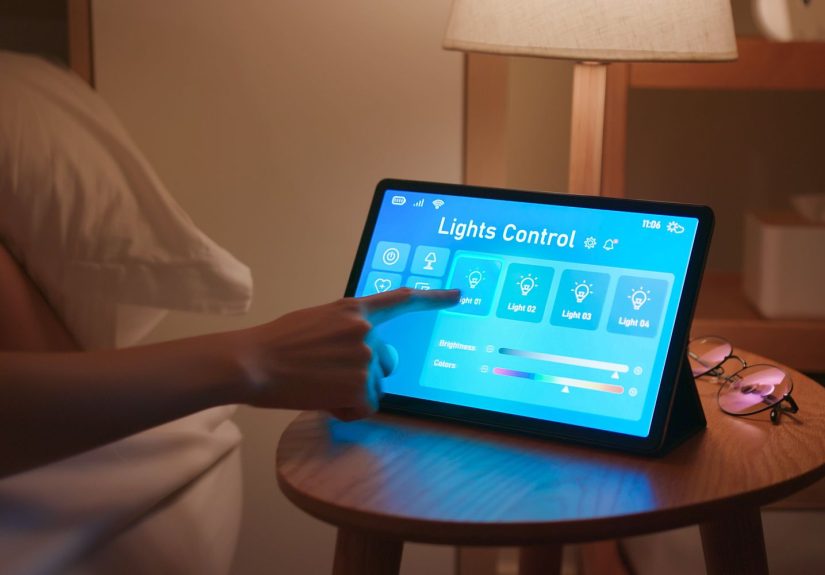
- Smart bulbs, switches, plugs (lighting scenes, sunrise fades, automation)
- Smart TV/streaming devices (apps, casting, voice remotes)
- Sleep tech (smart mattresses, sleep trackers, white-noise machines, temperature control)
- Security-ish devices (door locks, indoor cameras, baby monitors)
- Comfort devices (humidifiers, air purifiers, fans, thermostats, blinds)
Bedrooms are unique because the data is uniquely sensitive: sleep/wake times, voice snippets, camera feeds, health signals,
and routines. If a living room light gets hacked, it’s annoying. If a bedroom camera or speaker gets accessed, it’s invasive.
So your smart bedroom should run on a “minimum necessary” mindset: keep what you love, reduce what you don’t need, and secure
everything that remains.
The Real Risks: What You’re Actually Defending Against
Smart home threats often sound like movie plots (“Hackers turned my lamp evil!”), but the most common problems are boring in
the worst way: weak passwords, unpatched firmware, sloppy sharing, and accounts without two-factor authentication.
1) Account Takeover
Many bedroom devices are controlled through a cloud account (the manufacturer’s app). If someone gets into that account, they
may be able to view cameras, change settings, lock you out, or snoop on activity logs. This often happens through reused
passwords or phishing.
2) Network Pivoting
An insecure device can become a stepping stone. A “dumb” smart plug with outdated firmware can be the open window that lets an
attacker poke around your network and try to reach more valuable targets (like a laptop with saved passwords).
3) Privacy Leakage
Even without a “hack,” bedroom devices can leak data through overly-permissive app settings, unnecessary integrations, or
features you didn’t mean to turn on (voice recordings, remote access, diagnostics, location tracking).
4) Stalkerware-Style Abuse (the Uncomfortable One)
Not all threats are anonymous hackers. Sometimes it’s an ex, a roommate, or a guest who still has access because you never
removed them from the home, shared a password once, or left a device logged into a shared tablet.
The Bedroom Security Golden Rule: Protect the Router Like It’s the Front Door
If your smart bedroom is a castle, your router is the main gate. Secure it, and everything behind it gets safer. Ignore it,
and you’re basically hanging a “Please Enjoy Our Unlocked Network” sign in your digital front yard.
Step 1: Change default router credentials (admin + Wi-Fi)
Factory-default usernames and passwords are widely known. Change the router’s admin login and your Wi-Fi password to strong,
unique passphrases. Use a password manager so you don’t end up naming your Wi-Fi password after your pet (again).
Step 2: Use strong Wi-Fi encryption (WPA3 if possible)
Set your Wi-Fi security to WPA3-Personal if your router supports it. If not, use WPA2-Personal (AES).
Avoid older options like WEP.
Step 3: Turn on router updates
Keep router firmware updated and enable automatic updates when available. Router updates often include security fixesaka the
“please don’t let strangers do weird things to my internet” patches.
Step 4: Disable risky convenience features
Many routers ship with convenience toggles that are… convenient for attackers, too. Consider disabling:
- WPS (easy setup feature that can be abused)
- UPnP (automatic port opening, sometimes too automatic)
- Remote management (especially if you don’t use it)
Step 5: Segment your network (guest network or IoT network)
Create a separate network for smart devices. Many routers let you create a guest network; some offer a dedicated IoT network
or VLAN options. The goal is simple: if a smart bulb has a bad day, it shouldn’t be able to chat with your laptop.
Bedroom-specific tip: Put bedroom devices on their own network segment if you can. Why? Because a bedroom has
higher privacy stakes and often includes microphones/cameras/sleep tech. You want tighter blast-radius control there.
Buy Smarter: Security Starts Before You Plug It In
The best time to avoid an insecure device is before you bring it home. When shopping for smart bedroom gear, look for:
- Clear update support (does the company talk about security updates and support timelines?)
- Strong account protections (supports 2FA, device login alerts, session management)
- Good privacy controls (easy-to-find settings; ability to disable features you don’t want)
- Secure-by-default behavior (forces password change; doesn’t ship with wide-open defaults)
Use security labeling as a shortcut (but not a substitute)
In the U.S., the FCC has established a voluntary cybersecurity labeling program for certain consumer IoT products, featuring the
U.S. Cyber Trust Mark and a QR code that links to more detailed security information. That label can be a helpful
filter when comparing similar devicesbut still do the basics (updates, passwords, segmentation) because labels don’t configure
your house for you.
Lock Down the Accounts (Because Your Bedroom Shouldn’t Have a Shared Password)
Your smart bedroom security is only as strong as the accounts controlling it. Here’s a practical approach that works even if
you have a dozen devices across three apps.
Use a password manager and unique passwords
Use long, unique passwords for the manufacturer accounts, your smart home platform account (Apple/Google/Amazon), and your router.
Reusing passwords is how one random breach turns into a home takeover.
Turn on two-factor authentication (2FA) everywhere you can
If your platform account supports 2FA, enable it. It’s one of the highest-impact steps you can take. Many ecosystems depend on
the security of the account behind the scenesso treat that account like it’s your master key… because it is.
Create a “home admin” identity
Consider a dedicated email address for smart home administration (platform logins, device accounts, router alerts). Keep it
separate from the email you use to sign up for every sale, newsletter, and suspicious “win a free air fryer” contest.
Secure Each Bedroom Device Like It’s a Tiny Computer (Because It Is)
Once the network and accounts are strong, go device-by-device. You don’t need to obsessjust hit the high-value toggles.
Smart speakers and displays
- Review microphone controls: use the physical mute switch when you want true quiet.
- Limit purchases/commands: disable voice purchasing or require a confirmation PIN.
- Separate users properly: use household/voice-match features so one person can’t manage everything by accident.
- Check activity logs: periodically review what’s stored and delete old voice activity if you prefer.
Smart TVs and streaming devices
Bedroom TVs are often the most “computer-like” device in the room: they run apps, connect to accounts, and sometimes come with
microphones/cameras. Recommendations:
- Update firmware and enable auto-updates if available.
- Turn off unused features (voice control, remote access, Bluetooth pairing, device discovery) if you don’t need them.
- Audit installed apps: delete what you don’t use; fewer apps = fewer permissions and fewer update worries.
- Review privacy/ads settings: many TVs include tracking or content recognition features you can limit.
Smart lights, plugs, and switches
- Update the hub/bridge (if you have one) because it’s a central point of control.
- Prefer local control when possible: devices that function locally even if the internet is down can reduce exposure.
- Don’t over-share access: the person who needs to turn on the lamp probably doesn’t need “admin” rights.
Sleep trackers and smart mattresses
Sleep tech can collect deeply personal data. Treat it like a health app:
- Use 2FA on the associated account if available.
- Review what’s collected: do you want location, microphone access, or “always-on” background tracking?
- Limit sharing: avoid connecting sleep data to third-party apps unless you truly use the integration.
- Set retention preferences if the service offers them (keep what you need; delete the rest).
Indoor cameras and baby monitors (extra caution zone)
If a smart bedroom includes a camera or baby monitor, security needs to be stricter:
- Use unique credentials + 2FA on the camera account.
- Restrict sharing to only essential users; remove old users immediately.
- Disable remote viewing if you don’t use it; local-only is safer when practical.
- Physically cover the camera when not needed (the simplest security tool is still a lens cover).
Control Sharing: “Household Access” Is Where Security Goes to Die
Many smart home ecosystems let you invite household members, guests, or family. That’s greatuntil you forget who has access.
Bedroom devices are especially sensitive, so treat sharing as a living list, not a one-time setup.
- Give the minimum role (member vs admin) whenever possible.
- Remove access immediately when someone moves out, breaks up, or stops helping manage the home.
- Don’t share accounts (one login for everyone). Use proper invitations/roles instead.
Phone Security: Your Smartphone Is the Universal Remote (So Secure It)
Your bedroom smart devices are usually controlled from a phone. If someone gets access to your phoneor your phone account
that’s often game over. Strengthen the controller:
- Use a strong screen lock (biometrics + a real passcode, not 0000).
- Keep the OS updated and enable automatic updates.
- Review app permissions (microphone, camera, location) and remove what isn’t needed.
- Lock down account recovery (secure your email, use 2FA, and keep recovery options current).
A 30-Minute Smart Bedroom Security Quick Start
If you want the “do this tonight” version, here’s a fast plan that covers the biggest risks first:
- Router: change admin password + Wi-Fi password; set WPA3/WPA2-AES; turn on updates.
- Router: disable WPS, UPnP, and remote management (unless you truly need it).
- Network: create a guest/IoT network and move smart bedroom devices to it.
- Accounts: enable 2FA on your smart home platform account and key device accounts.
- Devices: update firmware; rename devices clearly; remove old users/shares.
- Privacy: mute mics when not needed; cover cameras; limit unnecessary integrations.
Common Mistakes (So You Can Skip the Part Where You Learn the Hard Way)
Leaving default passwords “for later”
Later is how defaults become permanent. Change defaults immediatelyrouter and devices.
One Wi-Fi network for everything
If your work laptop, phone, and smart plug all live on the same network, you’re making life easy for intruders. Segment smart
devices onto a guest/IoT network.
Too many third-party integrations
Automations can be amazing, but each added service is another account, another permission set, and another place to forget a
password. Use the integrations you love and remove the ones you tried once at 2 a.m. and forgot.
Forgetting to remove access
The awkward truth: the most likely “unauthorized user” is someone you once authorized. Treat access like keyscollect them when
the relationship or living situation changes.
Bedroom-Specific Privacy Upgrades (Because This Room Deserves Extra Respect)
Security is about preventing unauthorized access. Privacy is about controlling what’s collected, stored, and shared even when
everything is “working.” In a bedroom, privacy deserves VIP seating.
Choose devices with physical privacy controls
A physical mic-mute switch or camera shutter is a strong signal that privacy was considered in the design. Software toggles are
good; hardware controls are better.
Don’t place cameras in bedrooms unless you truly need them
If you need a nursery monitor, greatsecure it and limit sharing. But a general-purpose camera pointed at a bed is a lot of
risk for very little benefit.
Minimize “always-on” features
If a device doesn’t need 24/7 microphone access, turn it off. If it doesn’t need location services, disable them. “Always-on”
is convenient, but it also creates more data and more exposure.
Use local control when possible
If your devices can function locally without cloud access for basic features, consider that optionespecially for lights and
routines. You can still use cloud features when you want them, but you’re not forced into “internet-required for bedtime.”
What to Do If You Think Something’s Wrong
If a device behaves oddlyunexpected reboots, settings changes you didn’t make, unknown users, strange automation triggerstreat
it like a smoke alarm. Don’t panic, but do act.
- Change the platform password (and enable 2FA if it wasn’t on).
- Check household users and remove anyone you don’t recognize.
- Update router firmware and change router admin + Wi-Fi passwords.
- Review connected devices on the router; block unknown devices.
- Factory reset the affected device and set it up again on the IoT/guest network.
- Audit automations (remove anything you didn’t create).
Experiences & Real-World Lessons from Securing Smart Bedrooms (Extra)
People usually don’t think about “smart bedroom security” until the moment something feels offor until a friend says,
“Hey… why is your TV turning on by itself?” The most useful lessons tend to come from patterns that show up again and again in
everyday households. Here are a few common experiences and what they teach.
The Guest Wi-Fi Facepalm
A classic scenario: a couple hosts friends for a weekend. Someone asks for Wi-Fi, and the fastest option is sharing the main
network password. A month later, a new “unknown device” appears on the router, or a streaming app is mysteriously logged in
somewhere else. Often it’s not maliciousmaybe a friend’s phone auto-connected from the driveway, or a device kept the password
saved. But it highlights a real truth: your main Wi-Fi password becomes permanent the moment you share it widely. The fix that
feels like magic is also boring: a guest network with its own password. You can rotate it after visitors leave without
reconfiguring your whole home. People who switch to guest Wi-Fi for visitors almost always say the same thing: “I should have
done this years ago.”
The “One Account for Everyone” Trap
Another repeat pattern: one person sets everything up, then shares the same login with a partner or roommate for convenience.
It worksuntil it doesn’t. Password changes become chaotic, devices get removed accidentally, and after a breakup or move-out,
access lingers because nobody knows which devices are tied to which account. The lesson: avoid shared logins. Use household
invitations and roles instead. That way, you can remove someone cleanly without detonating your whole setup. It’s less drama,
and it keeps a bedroom from turning into a soap opera powered by push notifications.
The Baby Monitor Surprise
Families with nursery monitors often learn quickly that “camera security” deserves special attention. The experience usually
starts with a harmless question: “Do we really need 2FA for this?” Then they realize the monitor can stream video, store clips,
and allow remote accesssometimes from anywhere. That’s not the kind of thing you protect with “password123” and hope. When
people tighten securityunique password, 2FA, limited sharing, updated firmwarethey often say they sleep better. That’s the
point: security isn’t about being paranoid; it’s about making your tech match the emotional reality of what it’s doing.
The Router That Time Forgot
The router is the most neglected “computer” in many homes. It gets installed, it works, and it fades into the background like
a smoke detector nobody checks. When people finally log in, they discover the router still uses default admin credentials, old
firmware, and convenience features like WPS or UPnP turned on. The “experience” here is usually a mix of relief and annoyance:
relief because the fixes are straightforward, annoyance because it was so easy to overlook. A router refreshnew admin
password, WPA3/WPA2-AES, updates on, guest network createdoften solves multiple problems at once: better security, fewer weird
glitches, and sometimes even better performance.
The Automation Overreach Moment
Smart bedrooms shine with automations: lights dim at bedtime, white noise starts at 10 p.m., the thermostat adjusts, the TV
turns off. But there’s a point where automations become “too clever,” especially when they rely on third-party services with
broad permissions. People commonly discover they granted an app permission to control “all devices” when they only wanted it to
toggle a lamp. The lesson is simple and powerful: routinely review integrations and revoke what you don’t use. A good rule of
thumb is “If I forgot why I connected it, I probably don’t need it.”
The Clean Break Checklist (the one nobody wants to need)
When households changeroommate moves out, relationship ends, short-term guest leavessmart home access can linger in weird
ways. Someone might still see device activity, control a light, or access a camera feed because they were never removed from
the household list. People who’ve dealt with this usually adopt a “clean break checklist” going forward: change Wi-Fi password,
rotate key account passwords, remove household members, and factory reset any device that feels questionable. It’s not romantic,
but it’s effective. And it’s much better than realizing your ex can still turn off your bedroom lights from across town.
The biggest takeaway from all these experiences is reassuring: most smart bedroom security problems aren’t advanced hacking.
They’re fixable basics. When you secure the router, segment devices, enable 2FA, and keep firmware updated, you’re not just
“doing cybersecurity.” You’re protecting your rest, your privacy, and your peace of mindwhich is exactly what a bedroom is
supposed to be for.