Table of Contents >> Show >> Hide
- Quick Answer: Can You Delete Your Cash App History?
- What Counts as “Cash App History,” Anyway?
- Why Cash App Won’t Let You Delete Individual Transactions
- What You Can Do Instead (Real Options That Actually Work)
- 1) Remember: Cash App Transactions Are Generally Private
- 2) Download Your Records Before You Change Anything
- 3) Delete the App (If Your Goal Is “Get It Off My Phone”)
- 4) Close (Delete) Your Cash App Account
- 5) Request Deletion of Personal Information (Where Available)
- 6) Clean Up “Related Traces” (Legit, Non-Sketchy Stuff)
- Common Scenarios and the Best Move
- FAQ: Cash App History Deletion Questions People Ask Constantly
- Conclusion
If you’ve ever opened Cash App’s Activity tab and thought, “Cool… but can I make this disappear?”
you’re not alone. People ask this for all kinds of reasons: privacy, a messy transaction list, a phone you share,
or simply the modern urge to “declutter” everything (including your money moves).
Here’s the reality check: Cash App is a financial app, not a group chat. And financial apps tend to remember
things the way elephants doforever-ish. But don’t worry. Even if you can’t nuke individual transactions,
you still have options to protect your privacy and reduce what’s visible on your device.
Quick Answer: Can You Delete Your Cash App History?
NoCash App doesn’t let you delete individual transactions or selectively erase your Activity history.
If a payment happened, it stays in your Activity list. There isn’t a “trash can” button, and support typically
can’t remove single entries either.
The closest thing to “clearing” your Cash App history is to close (delete) your Cash App account.
That can remove your access to the account and its activity within the app. However, even after you deactivate,
Cash App may still retain copies of your information and transaction records for a period of time
for legal, regulatory, fraud-prevention, dispute-resolution, and other compliance reasons.
What Counts as “Cash App History,” Anyway?
When most people say “history,” they’re talking about the Activity screenthe running list of
payments sent and received, plus details like dates, notes, and recipients. But Cash App “history” can also include:
- Transaction details (amount, date/time, status, recipient, and notes)
- Web receipts you can pull up for individual payments
- Monthly account statements (especially if you use Cash App like a bank account)
- Cash App Card activity (card purchases, disputes, and merchant transactions)
- Bank-linked traces (transfers that also show up on your bank statement)
So even if you could hide something inside the app (you can’t, selectively), there are often
other records elsewherelike statements, receipts, bank entries, and tax documents (if applicable).
Why Cash App Won’t Let You Delete Individual Transactions
Financial services keep records because money is serious. If you accidentally send funds to the wrong person,
get scammed, need proof of payment, file a dispute, or have an account issue, those records are the receipts that make
resolution possible.
Also, payment apps typically have legal and regulatory obligations to maintain certain records, and they may retain data
to prevent fraud, comply with government requests, and enforce their terms. In plain English: even if you’re totally innocent,
the system is designed to be auditable.
What You Can Do Instead (Real Options That Actually Work)
1) Remember: Cash App Transactions Are Generally Private
Unlike apps that have a social feed vibe, Cash App is typically not designed to broadcast your payments to the public.
That means your Activity list isn’t supposed to be a public scoreboard of your life choices.
The bigger privacy risk is usually device access: if someone can unlock your phone (or your Cash App),
they can see your Activity. So a lot of “I need to delete my history” situations are really “I need to lock down my account.”
Practical privacy moves:
- Turn on security locks (PIN, biometric, or device-level protections).
- Disable previews for notifications if your lock screen shows payment messages.
- Log out if you share a device (and don’t save passwords on shared browsers).
2) Download Your Records Before You Change Anything
It sounds backward“download my history” when you want it gonebut it’s smart. If you ever need proof of a payment
(rent, services, a refund situation, a dispute), having your own copy is a lifesaver.
Ways people commonly access records:
- Monthly statements (often found under Documents/Statements in the app).
- Online access (logging into your Cash App account in a browser to view Activity and documents).
- Web receipts for individual transactions when you need a shareable proof-of-payment page.
Example: You paid a contractor $250 and they claim they never got it. A web receipt with the date/time and status
is a lot more convincing than “Trust me, I totally paid you.”
3) Delete the App (If Your Goal Is “Get It Off My Phone”)
If your main goal is: “I don’t want someone scrolling my phone and seeing Cash App stuff,” removing the app can help.
But be clear about what this does and doesn’t do:
- Does: remove the app icon and local access on that device.
- Does not: delete your account, erase transaction history, or remove records from Cash App’s systems.
If you reinstall and sign back in, your Activity history will still be therebecause it lives on your account, not just your phone.
4) Close (Delete) Your Cash App Account
If you truly want to “wipe the slate” from your own access and stop using Cash App, account closure is the main lever you control.
Before closing, most people should do a quick checklist so nothing gets stranded:
- Transfer out your Cash App balance to your bank (or spend it via the Cash App Card if that applies to you).
- Resolve any pending payments so you’re not closing mid-flight.
- Handle investments/crypto (if used)sell/transfer as needed before closure.
- Save statements/receipts you may need later (rent, reimbursements, taxes, business records).
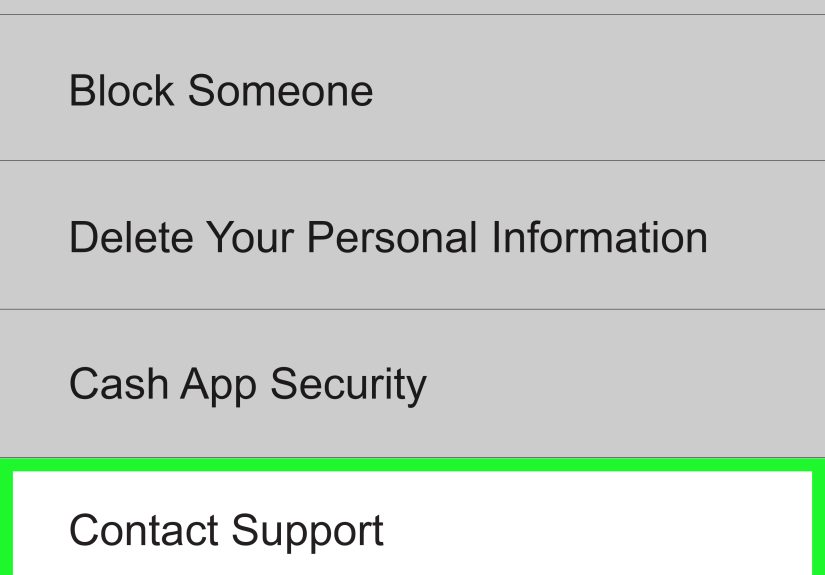
- Close the account through the in-app support/account settings flow.
After closure, you generally won’t be able to log in and browse that Activity list like beforewhich is what many people mean by
“delete my history.” But closure still isn’t a magic eraser for compliance records.
5) Request Deletion of Personal Information (Where Available)
Cash App provides a process to access and, in some cases, request deletion of personal information.
This is often handled through the app’s Support flow and may require additional steps or contact with support.
Important nuance: requesting deletion of personal information is not the same as erasing every transaction record from existence.
Financial platforms may keep certain data for legal/compliance reasons even after you close your account or request deletion.
6) Clean Up “Related Traces” (Legit, Non-Sketchy Stuff)
Even if you can’t delete the Activity list, you can reduce what’s visible in other places:
- Email: search your inbox for Cash App receipts/notifications and archive or delete as you prefer.
- Texts: some payments generate messages; remove message threads if you don’t need them.
- Bank statements: transfers to/from Cash App may still appearthose are controlled by your bank, not Cash App.
- Device privacy: lock your phone, use app locks, and turn off notification previews.
Common Scenarios and the Best Move
“I sent money to the wrong person. Can I delete it?”
Deleting the record won’t fix the problem (and you can’t delete it anyway). Focus on what matters:
check whether it’s pending, request a refund if possible, contact support if fraud is involved, and gather receipts.
This is exactly why transaction records exist.
“I don’t want someone who uses my phone seeing my payments.”
You’re thinking “delete,” but the solution is usually security:
lock your phone, lock the app, disable lock-screen previews, and log out on shared devices.
If you truly don’t want it on that phone, delete the appor use a separate device profile if your phone supports it.
“My Activity list is cluttered. I want it cleaner.”
Cash App doesn’t offer a “hide,” “archive,” or “delete single transaction” button for Activity. Instead, consider:
downloading statements for recordkeeping, then using filters/search (when available), and keeping notes clear going forward.
If you’re using Cash App frequently for business-like tracking, you might also want a dedicated bookkeeping method
so the app isn’t your only “ledger.”
“I’m closing my account. Will my history vanish?”
It can vanish from your view because you won’t be logging into that account anymore, but records may still be retained by Cash App
for compliance reasons. If you need old transactions for proof later, download statements/receipts before closing.
FAQ: Cash App History Deletion Questions People Ask Constantly
Can I delete a single Cash App payment from Activity?
No. Cash App doesn’t offer selective deletion of individual transactions.
If I delete the Cash App app, does my history delete?
No. Deleting the app only removes it from your device. Your history remains tied to your account.
If I close my Cash App account, does Cash App keep records?
Cash App may retain certain information and transaction records even after you deactivate, depending on legal/compliance needs.
Can other people see my Cash App transaction history?
Generally, your Activity isn’t meant to be public. The most common risk is someone with access to your phone or your account.
Use strong device security and app privacy settings.
What should I do before closing my account?
Transfer out funds, resolve pending payments, save statements/receipts you might need, and handle any holdings
(like stocks/bitcoin) if you used those features.
Conclusion
So, can you delete your Cash App history? If you mean “remove a few awkward transactions like they never happened,”
no. Cash App doesn’t allow selective deletion of Activity entries. If you mean “I don’t want this account
and its Activity accessible anymore,” then closing your Cash App account is your strongest optionplus you can
explore requests to delete personal information where available.
The best strategy is usually a combo: lock down privacy, save what you need,
and close the account only if you’re sure you’re done with it. Because in the world of digital payments,
the “undo” button is mostly a mythand receipts are forever.
Real-World Experiences: What People Run Into (and What They Learn)
A lot of “delete my Cash App history” requests start with a simple, relatable moment: someone opens the Activity tab
and realizes it’s basically a financial diary. Rent splits. A late-night taco reimbursement. A birthday gift.
That one time you paid your friend back for concert tickets and wrote a note that was funny at the timebut now reads like
a cryptic message to future archaeologists.
One common experience is the “shared device panic.” Maybe you hand your phone to a family member to show a photo,
or you’re helping someone troubleshoot a setting, and suddenly you remember that payment apps are one tap away from
revealing your entire transaction timeline. People often assume the fix is deletion, but they end up learning that
device privacy is the real boss battle. Turning off lock-screen notification previews, enabling a device passcode,
and adding app-level locks tends to solve the underlying problem far better than hunting for a delete button that isn’t there.
Another frequent experience: the “messy bookkeeping wake-up call.” Someone uses Cash App casually for months, then tries to
sort out spending for budgeting, a roommate reconciliation, or a side gig. They scroll through a long list of transactions
and realize two things: (1) it’s not as easy to organize as a spreadsheet, and (2) those records are actually useful.
The practical takeaway people share is: before closing an account or making big changes, download statements and receipts.
It feels boring in the moment, but it’s the kind of boring that saves you later when you need proof of a payment or want to confirm dates.
You also see “closure regret” stories. Someone closes their account because they want a clean slate, then weeks later they need an old receipt:
a deposit to a landlord, a reimbursement for travel, a record for a return, or a timeline detail for a dispute. The lesson is not
“never close your account”it’s “close it thoughtfully.” Take ten minutes, export what you might need, and make sure your balance is moved.
In other words: treat it like closing a bank account, not uninstalling a game.
Finally, plenty of people come to terms with a surprisingly comforting reality: Cash App history isn’t a public billboard.
In most cases, the “privacy crisis” is internalyou can see your transactions, and you worry someone else will too.
Once people set up good phone security habits and keep receipts organized, the need to “delete history” often fades.
What they really wanted was control, not invisibilityand control is absolutely achievable.