Table of Contents >> Show >> Hide
- Quick Reality Check (Before You Hit Send)
- How to Snapchat Someone Who Hasn't Added You Back: 7 Steps
- Step 1: Make sure you’ve got the right person (and the right username)
- Step 2: Add them the straightforward way (no mystery tactics)
- Step 3: Start with a simple Chat (not a novel, not a blurry ceiling pic)
- Step 4: Watch what happens after you send (Delivered vs. Pending)
- Step 5: If it says “Pending,” assume privacynot personal rejection (yet)
- Step 6: Don’t try to “work around” their settingsuse a normal next step instead
- Step 7: If they add you back, keep it low-pressure (and don’t immediately go full chaos)
- Troubleshooting: Why You Can’t Message Them (and What to Do)
- Safety & Etiquette (Because “Technically Possible” Isn’t Always “A Good Idea”)
- Frequently Asked Questions
- Conclusion
- Real-World Experiences: What It Feels Like (and What Usually Works)
You found their username. You’re ready to send a perfectly normal, not-at-all-embarrassing Snap.
There’s just one tiny plot twist: they haven’t added you back.
So… can you still message them on Snapchat without turning into That Person?
Yessometimes. But Snapchat is built to reduce random, unwanted contact, so what you can do depends on
privacy settings, whether you’re in their phone contacts, and whether they accept your request.
This guide walks you through the clean, respectful way to tryplus what the dreaded gray “Pending” actually means.
Quick Reality Check (Before You Hit Send)
Snapchat isn’t an “open inbox” for most people anymore. In many cases, someone can’t receive your Snaps/Chats
unless (a) you’ve added each other, or (b) Snapchat treats you as a trusted contact through phone contacts or special account types.
Translation: you can try to reach out, but you can’t force deliverynor should you try.
Think of it like knocking on a door, not picking the lock. If they want to answer, they will.
How to Snapchat Someone Who Hasn’t Added You Back: 7 Steps
Step 1: Make sure you’ve got the right person (and the right username)
Before you do anything, confirm you’re not about to Snap the wrong “Jessssss_1997” (plural s’s matter, people).
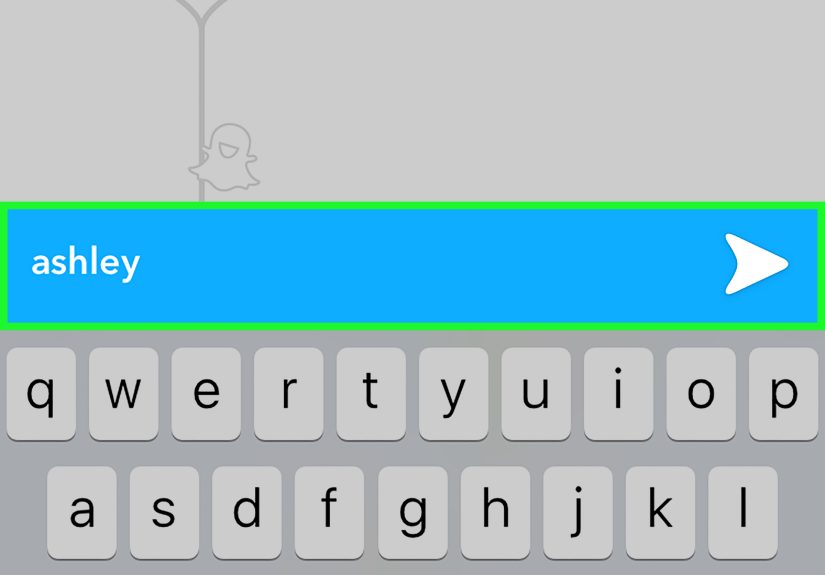
Use Snapchat Search to look up their exact username, display name, or scan their Snapcode if they shared it publicly.
Pro tip: If you only know them from another app, ask for their Snapcode or username directly.
It’s the most normal-person move you can make.
Step 2: Add them the straightforward way (no mystery tactics)
Tap + Add on their profile. That’s it. That’s the step.
Adding someone sends a friend request, and it’s the cleanest signal: “Hey, I’d like to connect.”
If your goal is a friendly hello, don’t over-engineer it. You’re not launching a satellite; you’re sending a message.
Step 3: Start with a simple Chat (not a novel, not a blurry ceiling pic)
If Snapchat allows you to message them (more on settings in a second), open a Chat and send a short, context-filled message.
The secret ingredient is: who you are and why you’re contacting them.
Examples that feel human (and not like spam):
- “Hey! It’s Sam from the Friday yoga classare you going next week?”
- “Hi! We met at Taylor’s birthday. This is Alexthought I’d say hey 🙂”
- “Hey, quick questionare you the one who recommended that taco place?”
Keep it light, specific, and easy to ignore if they’re not interested. The goal is comfort, not pressure.
Step 4: Watch what happens after you send (Delivered vs. Pending)
Snapchat’s icons are basically tiny emotional weather forecasts. If your message shows Delivered,
they can receive it. If it shows Pending with a gray icon/arrow, Snapchat hasn’t delivered it.
Step 5: If it says “Pending,” assume privacynot personal rejection (yet)
“Pending” often means Snapchat is waiting for somethinglike them accepting your friend requestor their settings
don’t allow messages from non-friends. It can also happen if you were removed, blocked, or if there’s a connection/app issue.
Here’s the respectful way to interpret “Pending”:
- Most likely: They haven’t accepted your friend request yet.
- Also possible: Their privacy settings limit who can contact them.
- Sometimes: You were unfriended/blocked, or the app/network is glitching.
What you should not do: send 14 follow-up Snaps like you’re trying to revive a dying campfire with pure desperation.
Step 6: Don’t try to “work around” their settingsuse a normal next step instead
If they haven’t added you back, you have exactly three classy options:
-
Wait. Give it time. People ignore friend requests for reasons ranging from “busy” to “who are you”
to “I don’t open Snapchat anymore but I refuse to delete it.” -
Send one polite follow-up elsewhere (if appropriate). If you know them IRL or through work/school,
a simple “Hey, I sent a request on Snapno rush” is plenty. - Move on. Silence is a complete sentence.
Snapchat is designed to discourage unwanted contact. If the door’s closed, don’t start looking for windows.
Step 7: If they add you back, keep it low-pressure (and don’t immediately go full chaos)
If they accept, great! Your first Snap sets the tone. Start with something simple:
- A clear selfie + “Hey! Good to connect 🙂”
- A quick context reminder: “It’s Alex from Taylor’s party.”
- A normal topic: “Did you ever try that taco spot?”
Avoid: sending a 47-second rant about your ex, a cryptic photo of your knee, or a “streaks?” message before you’ve exchanged
a single real sentence. Let the friendship breathe.
Troubleshooting: Why You Can’t Message Them (and What to Do)
Their privacy settings limit contact
Snapchat lets people choose who can contact them. For most accounts, that generally means only people they’ve added
(and in some cases, verified contacts) can send Snaps/Chats.
If you’re not allowed in, your messages may stay Pending until they add you back.
You’re not in their phone contacts (or they don’t use contacts for Snapchat)
If they rely on phone contacts or tight privacy controls, being outside their contact circle can make it harder
for your message to go through without a mutual add.
They removed you or blocked you
Snapchat won’t always announce this with a marching band. If you used to be friends and now everything is gray/pending,
it could mean they removed you or blocked you. The best move is to stop trying to contact them on Snapchat.
It’s just an app or connection issue
Sometimes “Pending” is boring: weak internet, app bugs, or temporary service hiccups. If you suspect that’s the case,
try updating the app, switching Wi-Fi/mobile data, or sending a message to a different friend to confirm Snapchat is working.
Safety & Etiquette (Because “Technically Possible” Isn’t Always “A Good Idea”)
A few ground rules that keep you on the right side of both decency and platform safety:
- One request, one message. If they don’t respond, don’t spam.
- Be clear about who you are. Context reduces creep-factor instantly.
- Don’t contact minors you don’t know. If you’re an adult, keep interactions appropriate and verified.
- Respect boundaries. If someone doesn’t add you back, take the hint gracefully.
- Never try “hacks” to bypass privacy. That’s exactly what these settings are built to stop.
The highest-success strategy on Snapchat is the same one that works in real life:
be normal, be kind, and accept “no” without a debate.
Frequently Asked Questions
Can they see my Snap if they haven’t added me back?
Sometimes they can receive or see a message request depending on their settings and whether Snapchat treats you as a contact.
Often, they won’t see your Snap/Chat content until they accept/add you backyour message may stay Pending until then.
Will Snapchat notify them that I added them?
Yesadding someone sends a request/notification. That’s normal. If you’re worried it looks weird, add context with a simple message
like “Hey, it’s Alex from…” so it doesn’t feel random.
What’s the best first message to someone who hasn’t added me?
Short and specific. Name + where you know them from + a low-pressure reason. Example:
“Hey! It’s Jordan from the networking event last nightgood meeting you.”
How long should I wait before assuming they’re not interested?
A day or two is reasonable; a week is generous. If there’s no response and you’re still Pending, let it go.
Snapchat isn’t a subpoena.
Conclusion
Snapchat makes it possible to reach out to someone who hasn’t added you backsometimesbut it also makes it clear when
the other person hasn’t opened the door. Your job is to knock politely, introduce yourself, and then respect whatever happens next.
If you follow the 7 steps above, you’ll avoid the two biggest Snapchat mistakes:
(1) trying to “hack” your way into someone’s inbox, and (2) sending a first message that looks like it was written by a confused robot.
Be human. Be brief. Be cool.
500-word experience add-on
Real-World Experiences: What It Feels Like (and What Usually Works)
Let’s talk about the part no one admits: messaging someone who hasn’t added you back can feel like sliding a note under a door and
immediately imagining ten different outcomesincluding the one where your phone bursts into flames from embarrassment.
In real life, most “no add-back yet” situations fall into a few predictable buckets. The first bucket is the inactive user.
They still have Snapchat installed, but they open it about as often as people use a fax machine. Your request sits there, not because
they’re rejecting you, but because they’re living their best life somewhere outside the app. In this case, the best approach is patience
(or using a different way to communicate if you actually need them).
The second bucket is the privacy-first person. They keep contact settings tight, they don’t accept strangers, and they treat their
friend list like a guest list for a small dinner partynot a stadium tour. If you’re contacting someone like this, context is everything.
A simple message that states who you are and why you’re reaching out often makes the difference between “ignore” and “oh, rightthis person.”
The funniest part? People who value privacy usually appreciate clarity, not cleverness. “Hey, it’s Mia from chem lab” beats a mysterious Snap of
your shoes with “guess who 😏” every time.
The third bucket is the one nobody wants to be in: they saw it and chose not to engage. Ouch. But also: totally survivable.
Snapchat is casual, and people manage their digital boundaries differently. Some don’t mix acquaintances with close friends. Some avoid messaging
apps with disappearing content. Some are simply not interested. The healthiest move is to respect it quicklybecause trying harder rarely creates
interest; it usually creates discomfort.
A surprisingly effective “real-world” tactic is the one-and-done intro: add them, send a short note with context, and then stop.
No follow-up Snaps. No “did u get it??” No sending a meme as a second attempt. If they want to connect, they’ll add you back and respond.
This approach works because it’s low-pressure. It gives them an easy yes and an easy nowithout making them feel cornered.
And finally, the big lesson people learn after a few awkward tries: Snapchat contact is supposed to feel fun. If you’re feeling anxious, pushy,
or like you need a strategy board and three highlighters, it’s a sign to step back. The best connections on Snapchat start the same way good
conversations start anywhere: a normal greeting, a clear reason, and respect for the other person’s choice.